


Do AirTags Work With Android?
If you're on Android, the short answer is no.
AirTag doesn't work with Android phones, not natively, not with an app, not with a workaround.
Here's why, what your actual options are, and what to get instead if you want one tracker that works no matter which phone shows up to find it.
AirTag and Android aren’t compatible
AirTag does not work with Android. It never has. Apple built it on the Find My® network, and Find My only talks to Apple hardware.
There's no app, no setting, no jailbreak that gets around that. If you don't own an iPhone, an AirTag can't tell you where your keys are.

Can an Android phone detect an AirTag?
Sort of, but not the way most people expect.
Android can alert you if an AirTag (or a tag on Google's own network) is traveling with you without your knowledge.
It lives in Settings, under Safety & emergency, then Unknown tracker alerts. If a tracker separates from its owner and stays close to you for a while, your phone flags it, shows a rough map of where it's been, and lets you play a sound to help locate it.
That's a safety feature, built by Apple and Google together after AirTags started turning up in stalking cases. It's not a way to use someone's AirTag, or your own, as an actual tracker. Detecting a tracker and running one are two different things, and Android only does the first.
Is there an Android version of AirTag?
In a way, yes. Google has its own network for this, called Find Hub (you might still see it called Find My Device in older guides).
Tags from brands like Motorola, Pebblebee, and Chipolo connect to it the same way AirTags connect to Apple's Find My.
Here's the catch: Find Hub and Find My don't talk to each other.
A tag built for Find Hub works only on Android, the same way AirTag works only on Apple. So Android does have its own version of AirTag, it's just locked to its own side too.
The fix: one tracker that works with both
If you don't want to pick a side, you need a tracker built for both networks.
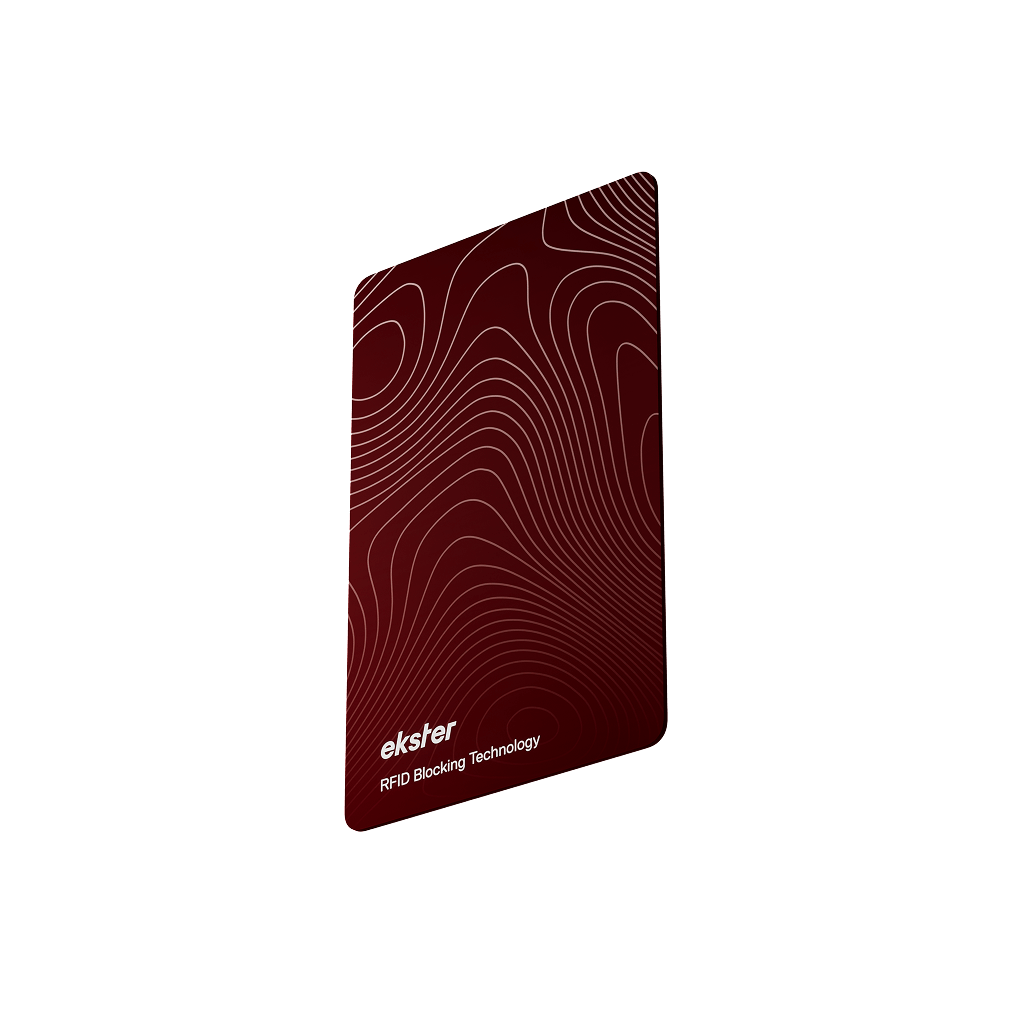
The Tracker Card and Tracker Tag connect to Apple's Find My on iPhone and Google's Find Hub on Android, so it doesn't matter which phone ends up doing the finding.
That matters more than it sounds like it should. Families split between iPhone and Android, friends who borrow each other's bags, anyone who's switched phones and had to replace every tracker they owned, all of that stops being a problem once the tracker itself isn't locked to one side.
Tracker Card fits a wallet. Tracker Tag clips onto keys, bags, or anything else you need to keep tabs on.

Bottom line
AirTag is a great tracker if everyone in your life carries an iPhone. The moment an Android phone enters the picture, whether that's you, your partner, or whoever's borrowing your bag, it stops being useful for them. That's not a flaw you can fix with a setting. It's how Apple built it.
If you want to stop thinking about which network your tracker belongs to, get one that isn't picking a side in the first place.
GET A TRACKER THAT WORKS WITH ANY PHONE
FAQs
Do AirTags work with Android?
No. AirTag runs on Apple's Find My network, which only connects to Apple devices. There's no app or setting that gets an AirTag talking to an Android phone.
Is there an AirTag for Android?
Not from Apple. Google has its own version, Find Hub, and tags built for it work on Android the same way AirTag works on iPhone. If you want one tracker that works on both, look for one built for both networks, like the Tracker Card or Tracker Tag from Ekster.
How do you connect a tracker to Android?
Open Google's Find Hub app and follow the pairing steps for your tracker. For a dual-network tracker like the Tracker Card or Tracker Tag, that means pairing once through Find Hub on Android, or through Find My if you're switching over to an iPhone later.
Can Android detect an AirTag without an app?
Yes. Unknown tracker alerts are built into Android itself, no download required. It's been there since Android 6, tucked into Settings under Safety & emergency. Apple also makes a separate app called Tracker Detect for people who want to manually scan for nearby AirTags, but you don't need it for the built-in alerts to work.
Does AirTag work with Samsung phones?
No. Samsung phones run Android, and AirTag doesn't work with Android regardless of the brand. Samsung has its own tracker, the Galaxy SmartTag, but it runs on Samsung's own SmartThings Find network, separate from both Apple's Find My and Google's Find Hub. So a Samsung phone can flag an AirTag traveling with you, same as any Android phone, but it still can't use one as an actual tracker.
Can I pair an AirTag with an Android phone?
No. Pairing requires the Find My app, which only exists for iOS. There's no Android version, official or otherwise. If you already own AirTags and just switched to Android, they'll stop being trackable the day you make the switch.
What's the real difference between Find My and Find Hub?
Find My is Apple's network, running on iPhones, iPads, and Macs. Find Hub is Google's equivalent, running on Android phones. They work on the same basic idea, using nearby phones to relay a tracker's location, but they don't share data with each other. A tag built for one is invisible to the other, which is the whole reason this question keeps coming up.


