


The Best Trackers That Work With Android
If you've searched for a tracker recently, you've probably noticed most of the reviews out there are written for iPhone owners.
AirTags get all the attention, but if you're on Android, half of that content doesn't even apply to you.
This guide is written for the other half: people who want a tracker that actually works with their Android phone, without settling for a second-tier option or committing to a subscription.

What to look for in an Android tracker
Before you buy anything, it's worth understanding what actually separates a good Android tracker from a mediocre one. There are four things that matter.
1. Network compatibility
Some trackers only work with one phone ecosystem (AirTag is Apple only, Samsung's SmartTag2 is built for Galaxy phones specifically).
Others, like Ekster's trackers, Chipolo's Pop line, and Pebblebee, connect to Google's Find Hub network, which uses every nearby Android phone to help locate your item.
If you want a tracker that works no matter what phone you or your family carries, this is the first thing to check.
2. No subscription
Many tracker brands, Tile especially, put their best features behind a paywall. Basic finding might be free, but things like extended warranty coverage or location history often require a monthly fee.
Look for a tracker where the core functionality (ringing it, checking its last location, getting a left-behind alert) is included, not upsold.

3. Form factor
This is more important than people expect. A round disc tracker needs an accessory just to attach to a keyring, and it's too thick to slide into most wallets.
A credit card-shaped tracker, on the other hand, goes straight into a card slot and adds almost no bulk. If you're tracking a wallet specifically, form factor is the difference between a tracker you actually carry and one that sits in a drawer.
4. Battery life and charging
Coin-cell batteries are convenient until you need to replace one and realize you don't have a spare.
Rechargeable trackers solve this, as long as the battery actually lasts long enough between charges to be worth the hassle.
The tracker options for Android
Here's how the main Android-compatible trackers stack up.
|
Tracker |
Works with |
Subscription |
Form |
|
Apple AirTag |
iPhone only (Find My network) |
None |
Round disc, needs a separate keyring accessory |
|
Samsung Galaxy SmartTag2 |
Samsung Galaxy phones (SmartThings Find network) |
None |
Fob with built-in keyring loop |
|
Tile Pro / Slim |
iPhone and Android (Tile's own network) |
Optional, for extras like location history |
Slim fob or card |
|
Chipolo Pop |
iPhone or Android, one network chosen at setup |
None |
Round disc |
|
Pebblebee Clip |
iPhone or Android, one network chosen at setup |
None |
Round clip |
|
iPhone and Android (Apple Find My or Google Find Hub) |
None |
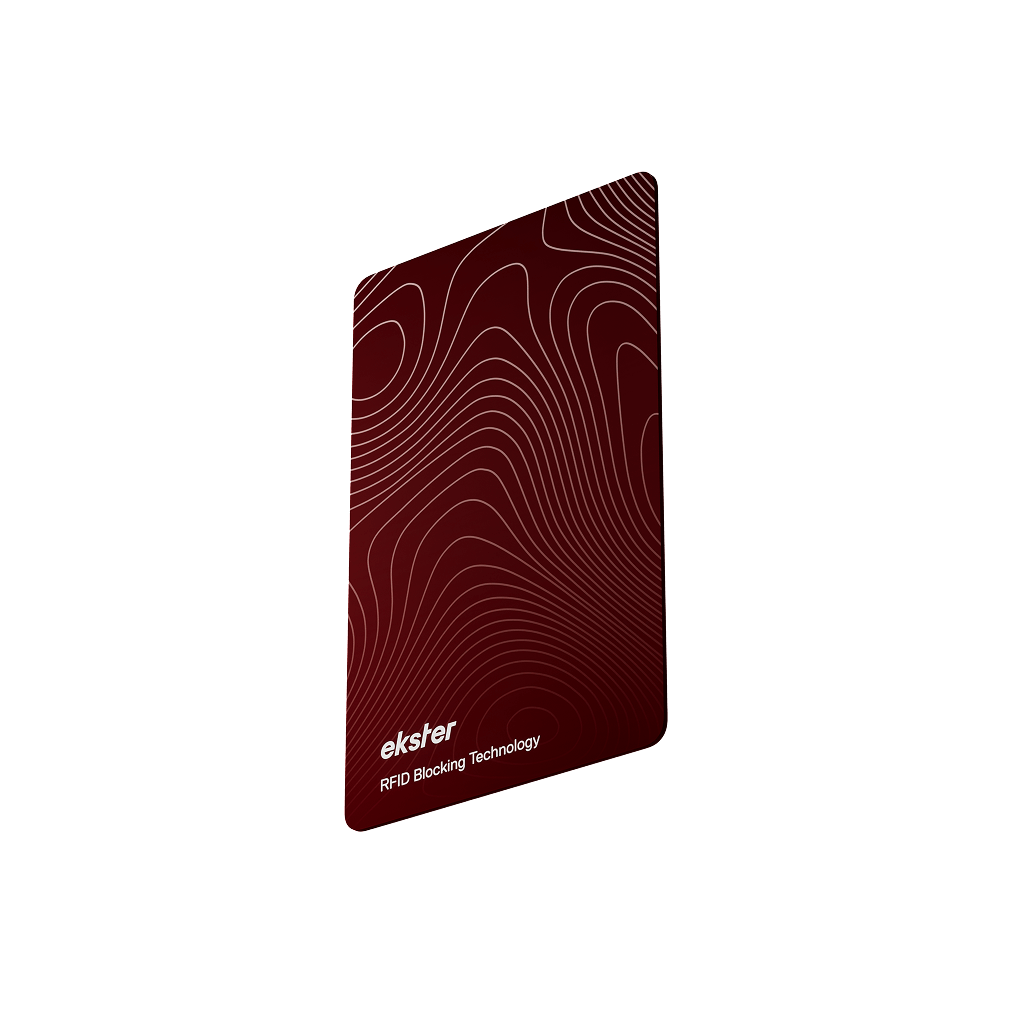
Credit card-sized, rechargeable |
|
|
iPhone and Android (Apple Find My or Google Find Hub) |
None |
Compact tag with attachment hole |

A few honest notes on the table:
- AirTag doesn't work with Android at all, so if that's your phone, cross it off the list no matter how good the reviews sound.
- SmartTag2 is genuinely excellent, but only if you're on a Samsung Galaxy device specifically; it doesn't tap into the broader Google Find Hub network the way a general Android tracker does.
- Tile works across both platforms, but you're relying on Tile's own network, which is smaller than Apple's or Google's, and some of its better features sit behind Tile Premium.
- Chipolo and Pebblebee are the closest real comparison to Ekster. Both let you choose either Apple Find My or Google Find Hub when you set the tracker up, with no subscription required, so they genuinely qualify as dual-network options too.
Where the Tracker Card and Tracker Tag pull ahead is the format.
Ekster built two shapes for two different jobs: the Tracker Card is slim enough to sit in a wallet like just another card, and the Tracker Tag is small enough to clip onto keys, a bag, or a bike.
Neither Chipolo nor Pebblebee offers a true card-shaped tracker, so if you specifically want something for a wallet, Ekster is the only dual-network option built for that exact use case.
If you're weighing this up for travel specifically, our post on how to track a lost wallet walks through what to do the moment you realize it's missing, and our roundup of the best wallet trackers goes deeper into the wallet-specific options if that's your main use case.
Given how often bags and wallets go missing in crowded tourist spots, it's also worth a look at why tourist season is pickpocket season if you're traveling somewhere busy this year.

TLDR: Ekster’s trackers are the best on the market
AirTag only works with iPhone, and Samsung's SmartTag2 only works well with Galaxy phones.
If you want one tracker that works with Android and iPhone, without a subscription, your real options are Tile, Chipolo Pop, Pebblebee, or Ekster's Tracker Card and Tracker Tag.
Ekster is the only one of these built in a genuine credit card shape for wallets, alongside a separate tag for keys and bags. Ekster’s trackers also don’t require any additional app downloads.
For reliability, ease of use, and convenience, choose Ekster.
FAQs
What trackers work with both iPhone and Android?
Tile, Chipolo Pop, Pebblebee, and Ekster's Tracker Card and Tracker Tag all work across both platforms. AirTag is iPhone-only, and Samsung's SmartTag2 is built specifically for Galaxy phones rather than Android in general.
Is there a tracker for Android without a subscription?
Yes. Ekster's Tracker Card and Tracker Tag connect to Google's Find Hub network with no subscription required for core features like ringing, last-known location, and left-behind alerts. Chipolo and Pebblebee also work subscription-free. Tile's basic tracking is free too, but some of its extra features require Tile Premium.
Does AirTag work with Android phones?
No, not for tracking purposes. Android users can install Apple's Tracker Detect app to scan for unwanted AirTags nearby, but you can't use an AirTag to actually track your own belongings on an Android phone the way you can with a Find Hub-compatible tracker.
What's the difference between Google Find Hub and Samsung's SmartThings Find?
Find Hub is Google's tracking network and uses every nearby Android phone to help locate a tagged item. SmartThings Find is Samsung's own network and relies specifically on nearby Samsung/Galaxy devices, so it has a smaller reach if you're not surrounded by other Samsung users.
Can I use a wallet tracker for other things besides my wallet?
Yes. A slim card tracker like the Tracker Card works in any wallet, passport holder, or bag pocket, and a tag-style tracker like the Tracker Tag is better suited for keys, luggage, or anything with a loop or zipper pull to attach to.


